Adisyon · Cafe and restaurant POS
POS, inventory and reports.
All branches in one panel.
Take orders on a touchscreen till, close the bill, see each branch's sales for the day. Every ingredient of every sold item is deducted from stock automatically.
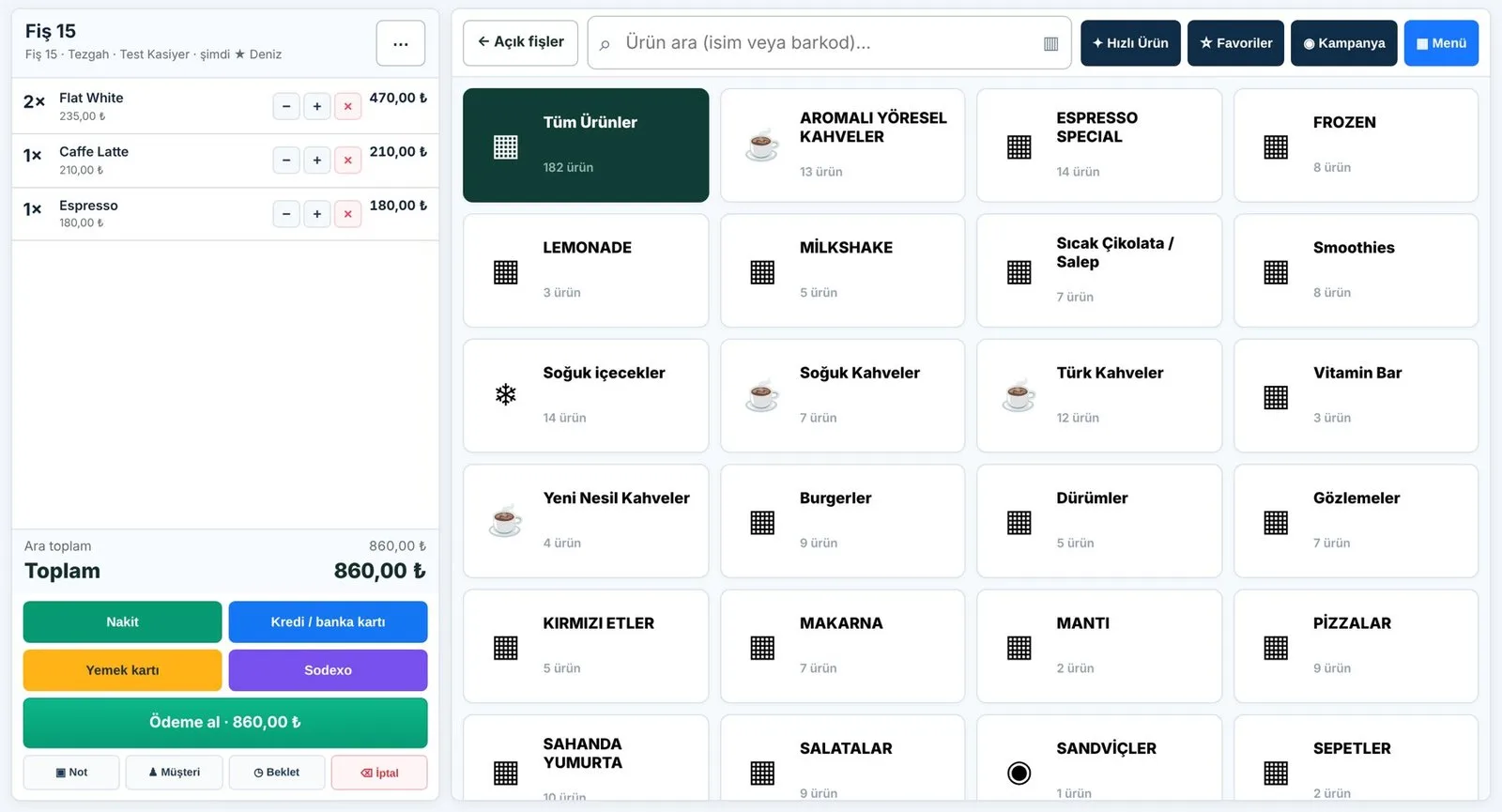
The price at the till, the count in stock, the sales per branch: all in one place.
When the till, the stock book and branch reports live in different places, price differences, waste and missing stock only show up at the end of the month. Adisyon keeps them in a single record.
- 01Products and prices entered once
The catalog is central; each branch can have its own price list.
- 02Orders taken at the till
Table and takeaway orders on the same screen; tickets go to bar and kitchen printers by section.
- 03Reports build themselves
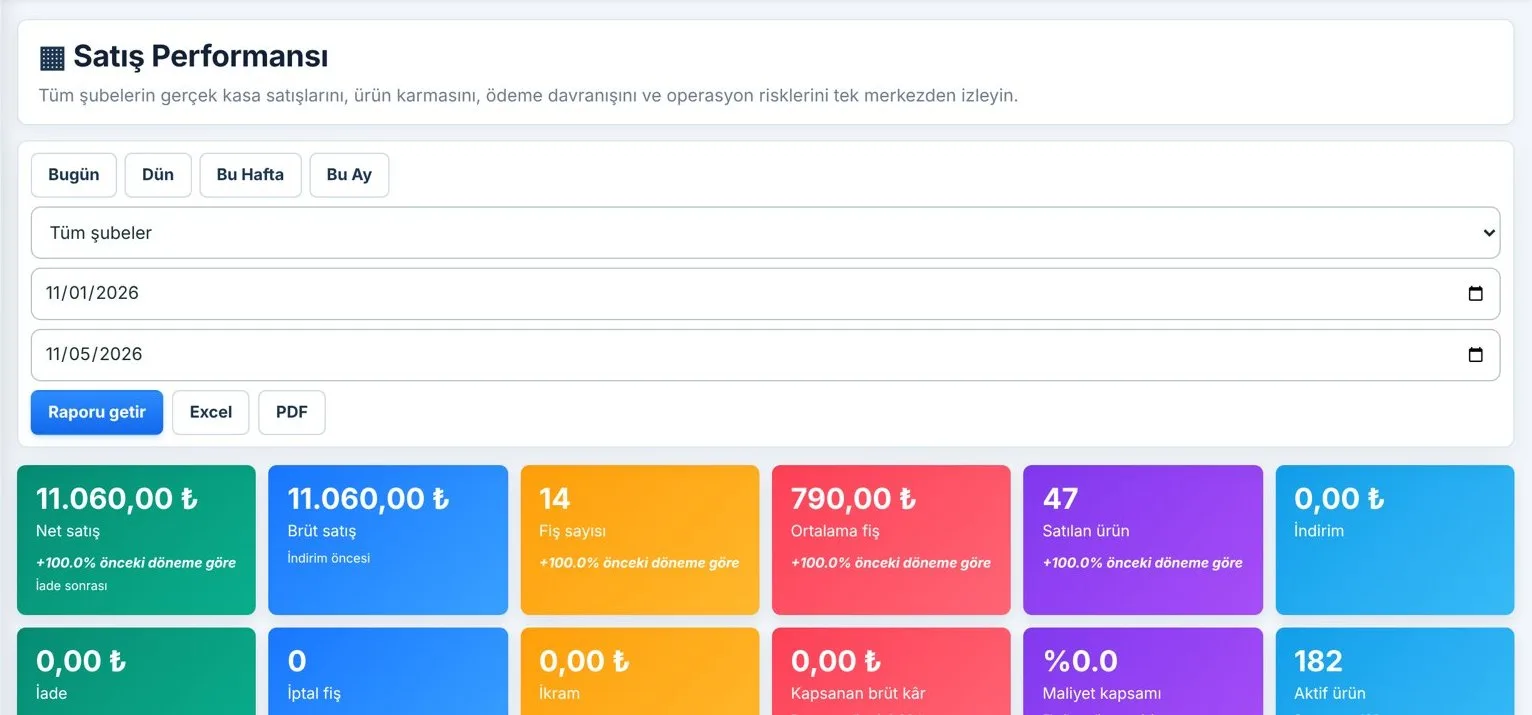
Revenue, receipt count, average basket and stock — branch by branch in the panel.
What it does
- Touchscreen tillCategories, favorites, barcode and quick payment; table and takeaway orders on one screen.
- Payment typesCash, card and meal cards; notes, hold and void on the receipt.
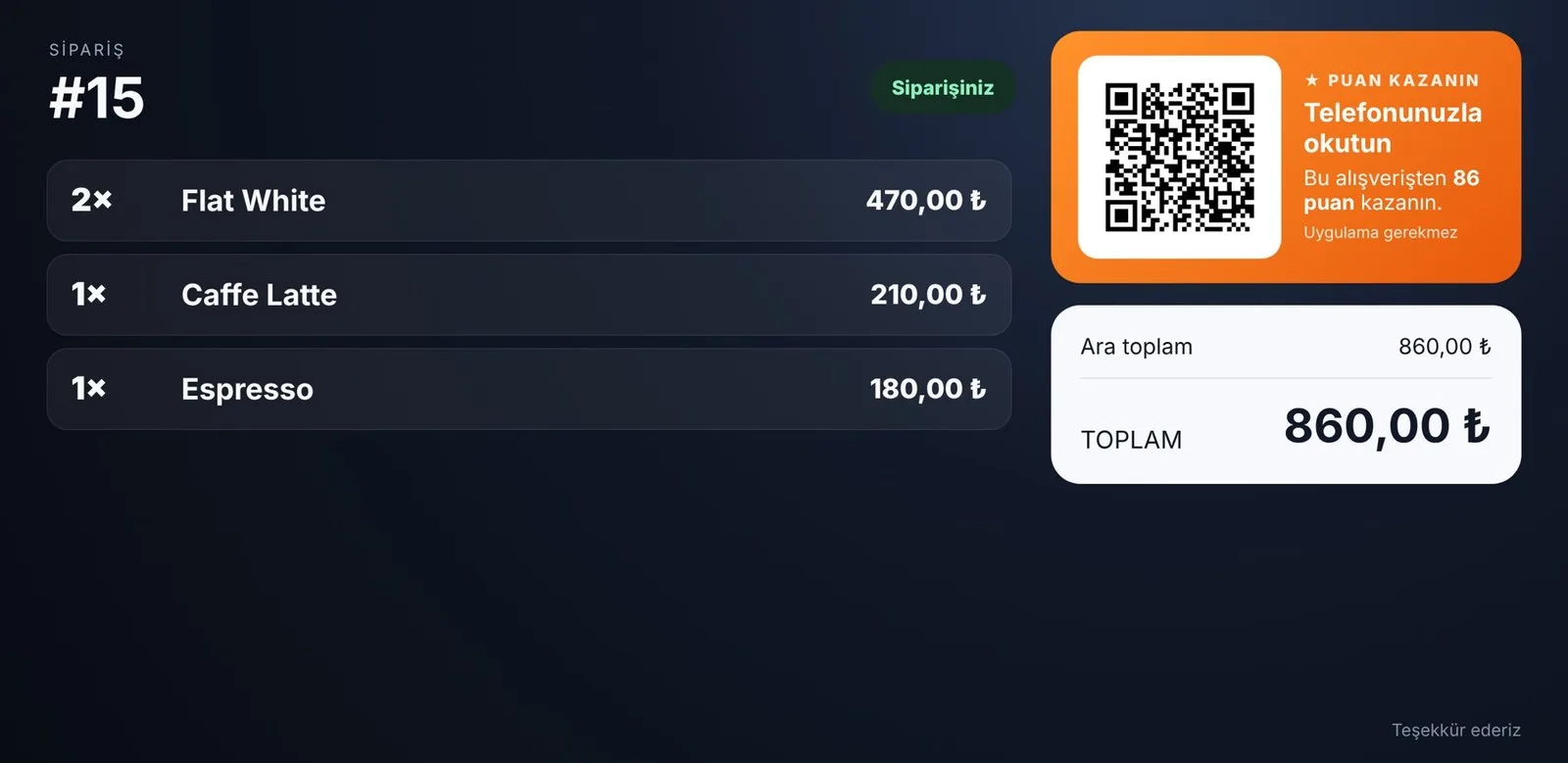
- Customer displayThe guest sees the order and the total; the Puanla QR code appears here.
- PrintersReceipt, kitchen and bar printers split by section.
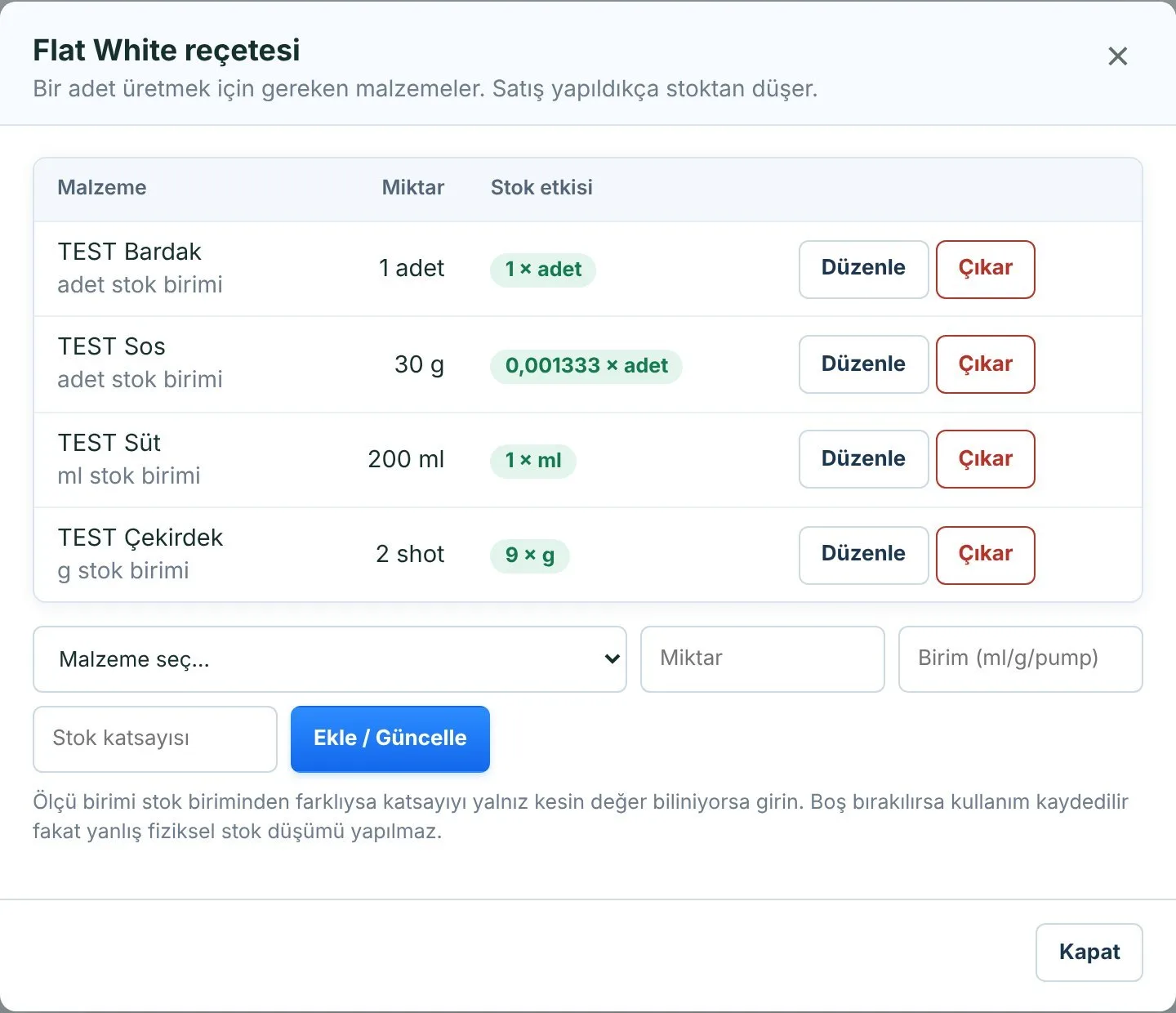
- Recipes and stockIngredients defined once per item, deducted at the moment of sale; stocktake and waste records.
- Unit conversionBuy in boxes and liters, use in milliliters and grams.
- Central ordering and warehouseA branch requests, finance approves, the warehouse prepares with barcodes, stock lands on delivery.
- ReportsRevenue, receipt count, average basket; by product and by staff member, Excel and PDF.
- Roles and audit logCashier, manager, finance and warehouse each see only their screen; voids and discounts are logged.
Together with other products
Adisyon is complete on its own. If you also use other ARTİEKRAN products, the connection between them is set up automatically.
- Dijital EkranA price changed at the till is reflected on menu boards automatically.
- PuanlaAt payment, a QR appears on the customer display; points are earned from the amount spent.
- KioskGuests order on a self-service screen; the order lands at the till and in the kitchen.
- Kamera AnalizPeople entering through the door are compared with receipt counts.
What do you need?
Before installation we review your venue and tell you in advance if anything is missing.
- A till deviceA touchscreen Windows computer or tablet.
- A receipt printerFor the bill; separate kitchen and bar printers are optional.
- InternetThe branch's existing connection.
Monthly pricing by number of branches and tills. We send a quote tailored to your business the same day.
Frequently asked questions
What is Adisyon?
It is POS software for taking orders and closing bills in cafes and restaurants. ARTİEKRAN Adisyon adds inventory, recipes and multi-branch reports on top.
I have several branches — can I see them all in one place?
Yes. The product catalog is central; each branch has its own price list, staff and reports, and branches can be compared side by side over the same date range.
How is stock deducted when an item sells?
Each item gets a recipe once (e.g. milk, coffee and a cup for a Flat White). As items sell, their ingredients are deducted from stock automatically.
Do kitchen and bar printers work separately?
Yes. You configure which products go to which printer, section by section.
Do menu boards change when I change a price?
If you also use ARTİEKRAN Dijital Ekran, yes; menu boards showing that product update within 15 seconds.
How much does it cost?
Monthly pricing by number of branches and tills. We send a quote tailored to your business the same day.
Who does the installation?
The ARTİEKRAN team: we migrate your products and prices, connect the printers and give your cashiers a short training.
Other products
One system,
one partner.
Call us or leave the form for a demo and a quote tailored to your business; we get back to you the same day.