Dijital Ekran · Digital signage
All your screens from one panel.
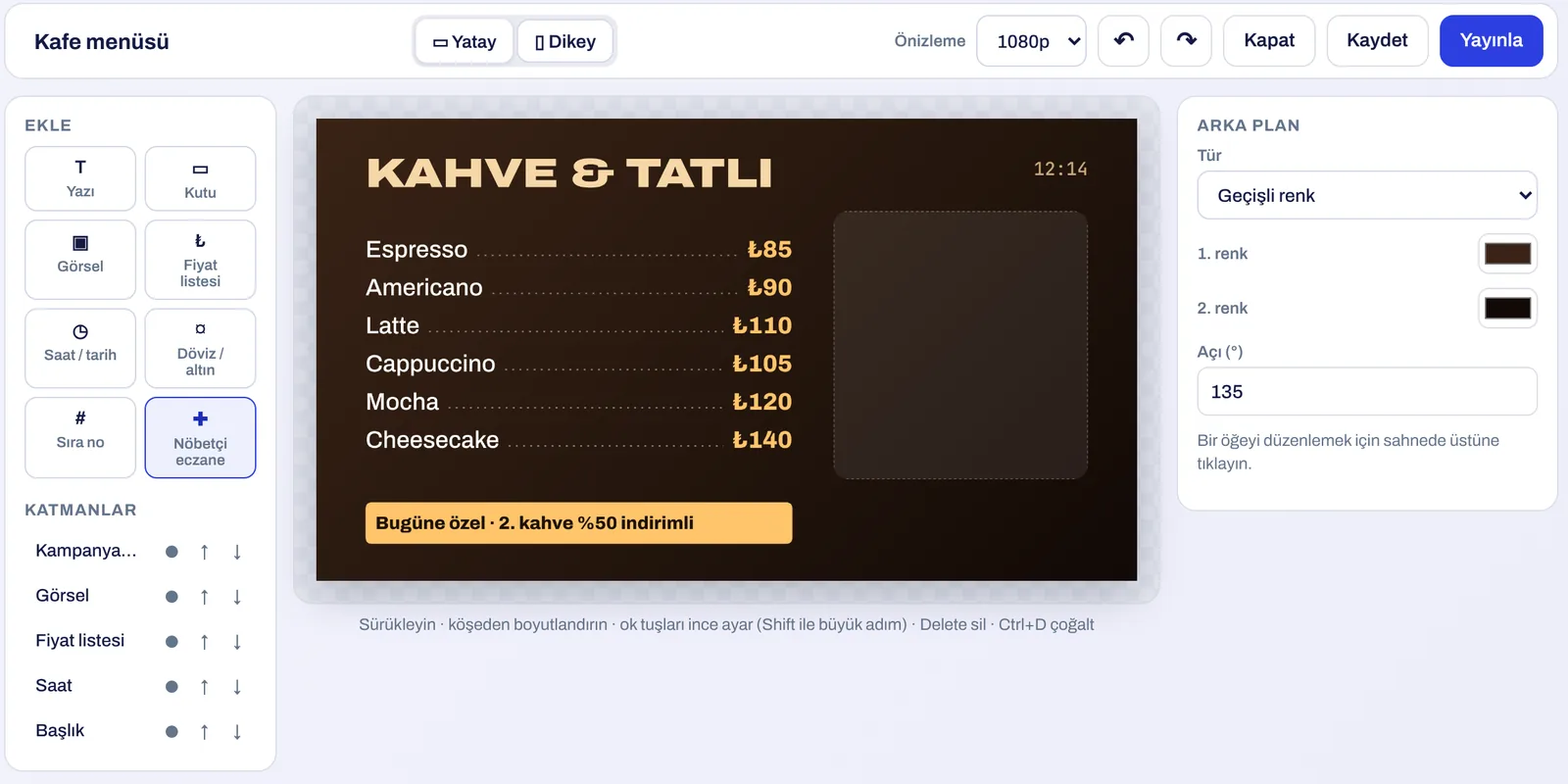
Upload your menu or design it with a ready-made template, or pull your Canva design in one click. Choose what plays on which screen in which branch; changes reach the screen within 15 seconds.
No more walking screen to screen with a USB stick.
A new design every time a price changes, USB sticks per branch for every campaign, a dead screen you only hear about from a customer… With Dijital Ekran, content, playback and screen status live in one place.
- 01Connect the screen
The player shows a pairing code; type it into the panel and the screen joins your account.
- 02Prepare the content
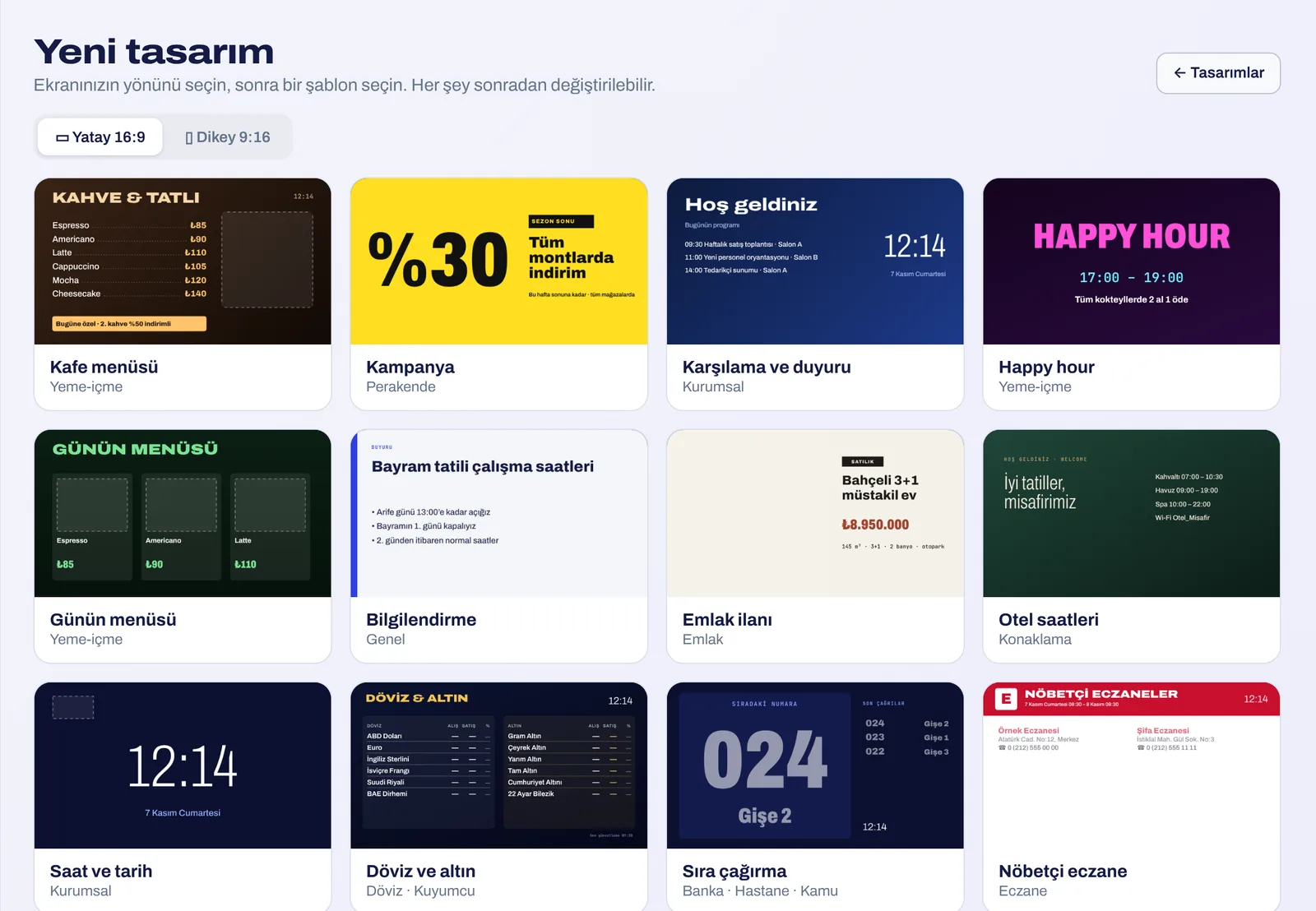
Upload files, pull from Canva, or design in the panel with ready templates.
- 03Publish
Pick branch and screens, schedule by time if you like; screens pick up the new playlist within 15 seconds.
At a glance
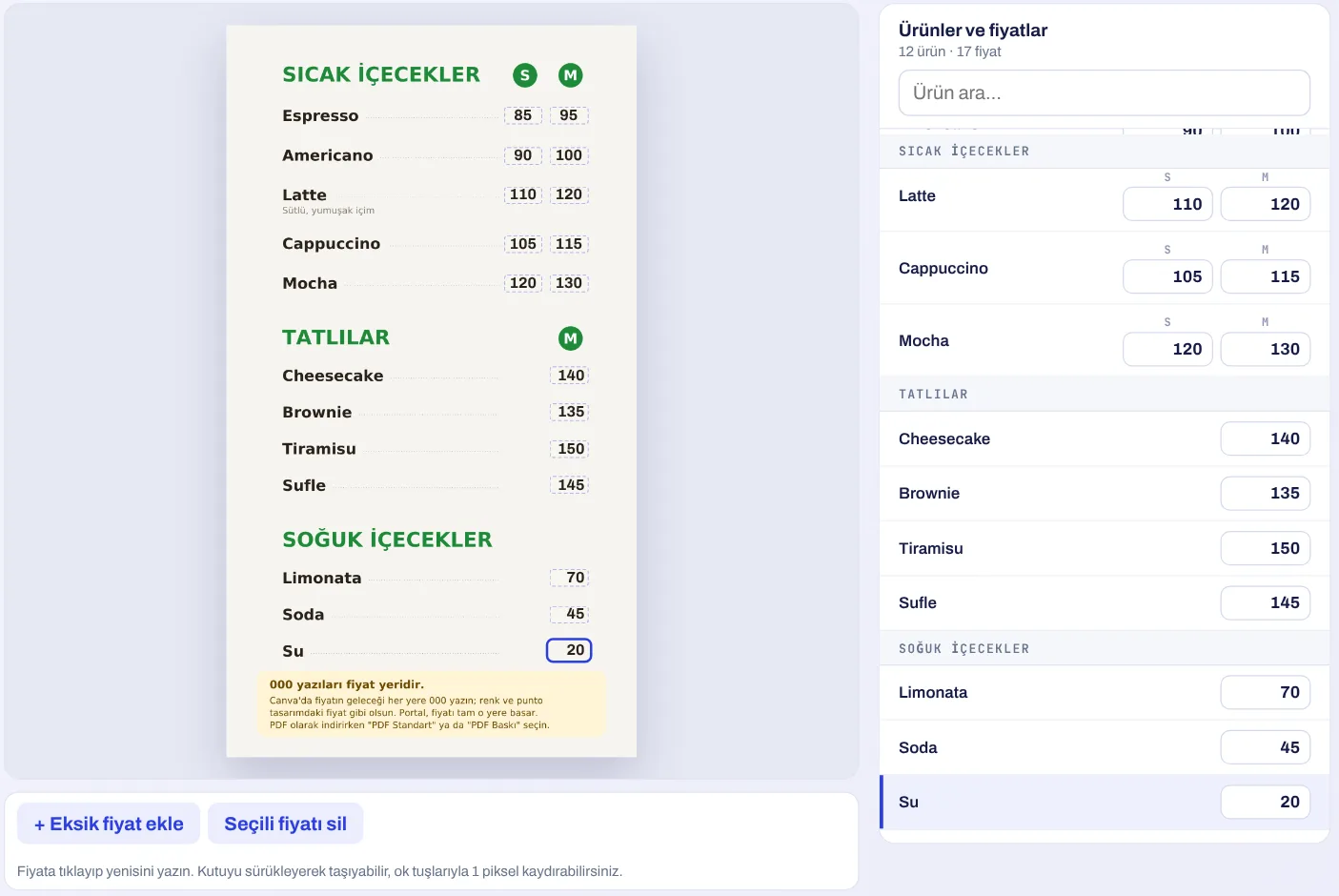
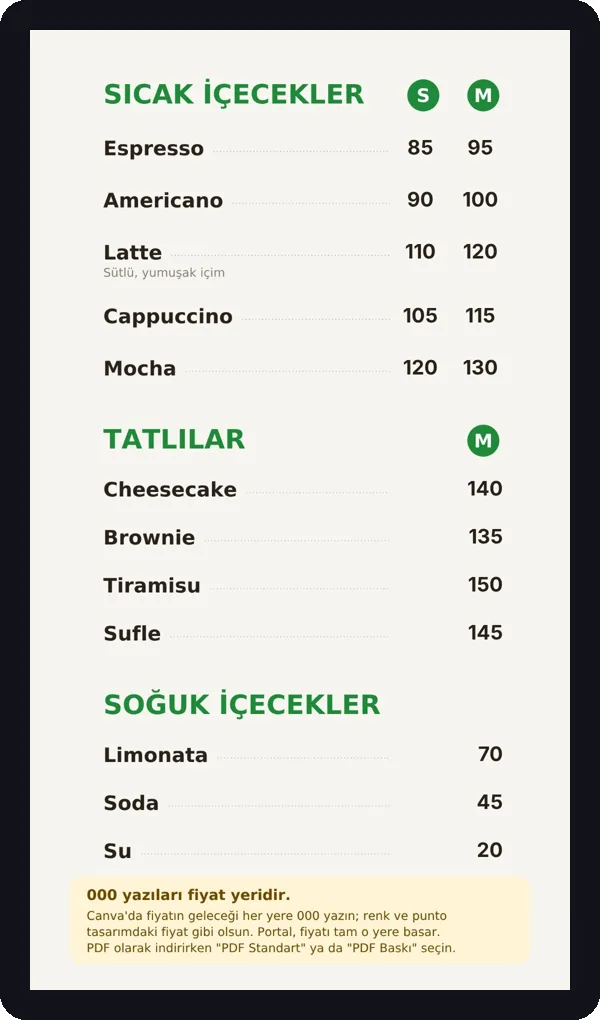
- Menus and pricesPDF menus, the 000 rule, bulk prices from Excel, price link to Adisyon.
- Design editorReady templates, landscape and portrait layouts, live elements.
- Canva integrationPull designs straight from Canva into your library.
- MediaImages, video, PDF, YouTube and web pages.
- Video wall2 to 5 screens, landscape or portrait, playing in sync.
- Branches and rolesPublishing per branch and branch-limited users.
- ScheduleAutomatic switching by date, day and hour.
- Live screensCurrency and gold rates, queue calling, clock.
- PresentationsA PDF deck on the screen, pages turned from a phone.
- Fleet monitoringOnline status, alerts, screenshots, remote commands.
- When internet dropsFiles are downloaded to the device; the last playlist keeps playing.
- PlayersAndroid TV box, Windows app, LG webOS TV, browser.
Together with other products
Dijital Ekran is complete on its own. If you also use other ARTİEKRAN products, the connection between them is set up automatically.
- AdisyonA price changed at the till is reflected on every menu board showing that product.
- PuanlaAnnounce your loyalty campaigns on your menu screens.
- Kamera AnalizWatch a branch's screens and cameras from the same panel.
What do you need?
Before installation we review your venue and tell you in advance if anything is missing.
- A screenYour existing TV works. An Android TV box, a Windows computer, an LG webOS TV or any device with a browser.
- InternetThe Wi-Fi or cable the screen is on. Once files are downloaded, playback continues even if the connection drops.
- ContentA Canva design, a PDF menu, a video — or none: ready templates let you design in the panel.
Monthly pricing by number of screens. We send a quote tailored to your business the same day.
Frequently asked questions
What is a digital menu board?
A system that shows menus, prices and campaigns on the TV above the till or on the wall. Content is managed online through a panel.
Can I use my existing TV?
Yes. A TV with an Android TV box, an LG webOS TV, a Windows computer or any device with a browser is enough.
How does the Canva integration work?
You connect your Canva account once. Designs you pick are pulled into your media library as video, image or PDF — no downloading and re-uploading.
I'm not a designer — how do I make screen content?
The panel has ready templates: cafe menu, menu of the day, campaign, welcome, currency rates, queue calling and more. Pick one and change the text and prices.
How many screens does a video wall take?
From 2 to 5. Content is prepared at wall size; the system sends each screen its own slice and they play in sync.
Can a branch manager see only their own screens?
Yes. Group screens by branch and limit users to their branch.
How fast do price changes reach the screen?
Within 15 seconds of publishing from the panel.
Does the screen go dark if the internet drops?
No. The playlist's files are downloaded to the device; the last playlist keeps playing.
How much does it cost?
Monthly pricing by number of screens. We send a quote tailored to your business the same day.
Other products
One system,
one partner.
Call us or leave the form for a demo and a quote tailored to your business; we get back to you the same day.