Kiosk · Self-service ordering
No queue: let guests place their own orders.
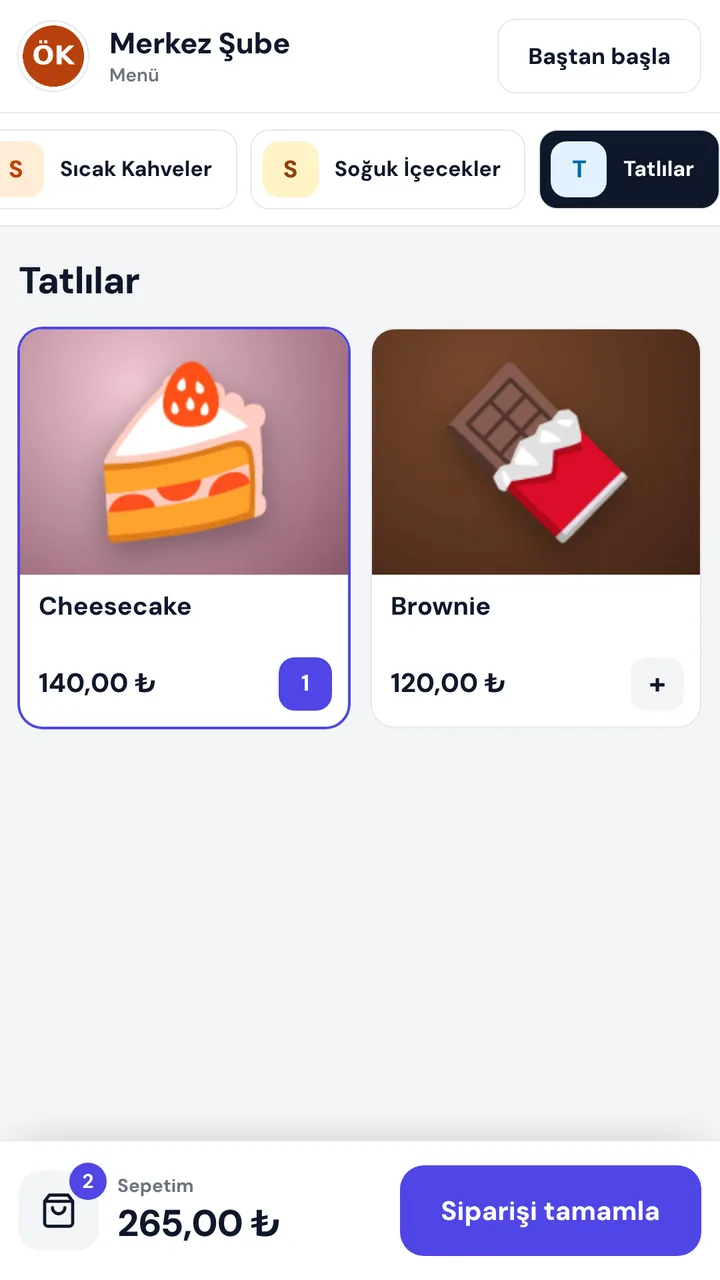
The guest browses the menu on a touchscreen, picks size and extras, places the order and gets a number. The order lands straight in Adisyon and the kitchen; the cashier only takes payment.

A queue at the till at rush hour, mistakes in the order.
When the cashier both takes orders and payments, the queue grows, sizes and extras get mixed up and guests have no time to browse. The kiosk hands ordering to the guest; the cashier focuses on payment, the kitchen on preparing.
- 01The guest picks
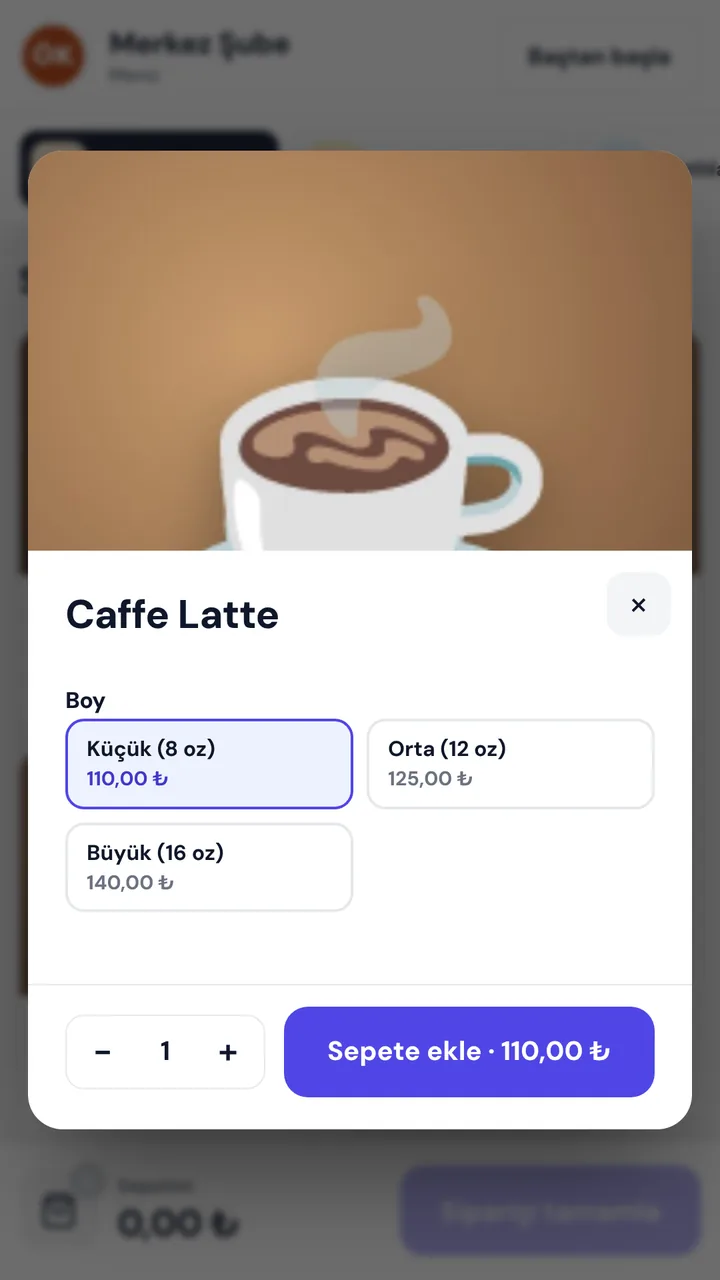
Categories and product photos; size, extras and quantity in the product window.
- 02Places the order
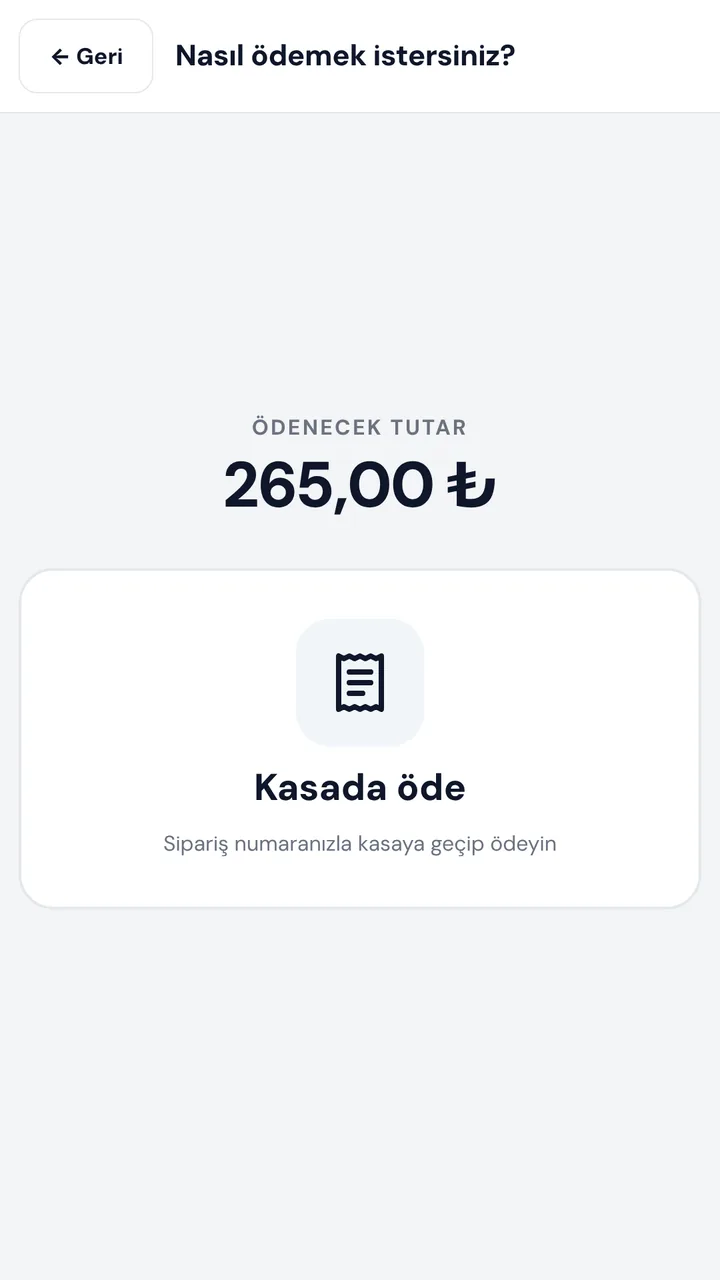
Confirms the basket, optionally types their name, chooses how to pay.
- 03Gets a number
The order number on screen; the order lands in Adisyon and the kitchen.
At a glance
- Self-service orderingWelcome, menu, product, basket, name, payment, order number.
- One menu with AdisyonProducts, prices, photos and sold-out flags from the till.
- Sizes and extrasSize, options and quantity in the product window.
- Pay at the tillThe order lands at the till with a sound alert; payment in one tap.
- Pay by cardOn the POS device next to the kiosk.
- Straight to the kitchenOnce paid, the order goes to the kitchen screen and printer.
- On-screen keyboardGuests type their name on screen; can be turned off.
- Idle timeoutConfigurable; the kiosk returns to the start on its own.
- Pairing codeJoins the branch with a single-use 6-digit code.
- DevicesAndroid tablet or kiosk, Windows computer, browser.
- Portrait and landscapeFits a kiosk stand or a tablet.
- Online monitoringEach kiosk's last-seen time in the panel.
Together with other products
Kiosk is part of Adisyon: it takes the menu from Adisyon and hands orders to Adisyon and the kitchen.
- AdisyonKiosk orders land in the awaiting-payment list at the till; once paid, the bill closes and stock is deducted by recipe.
- Dijital EkranMenu and campaign screens next to the kiosk show the same prices.
What do you need?
Before installation we review your venue and tell you in advance if anything is missing.
- ARTİEKRAN AdisyonKiosk is a module of Adisyon; it is enabled per branch.
- A touchscreenAn Android tablet or kiosk, or a touchscreen Windows computer.
- For card paymentA POS device next to the kiosk.
Monthly pricing by number of kiosks. We send a quote tailored to your business the same day.
Frequently asked questions
What is a self-service kiosk?
A system where guests place their own orders on a touchscreen. They browse, pick, pay and get an order number; the order lands at the till and in the kitchen.
Can I use it without Adisyon?
No. Kiosk is a module of ARTİEKRAN Adisyon; it takes the menu and prices from Adisyon and hands orders to it.
How do guests pay?
Two ways: pay at the till (the order lands at the till and the cashier takes payment) or by card on the POS device next to the kiosk. You choose which ways are enabled.
What devices does it run on?
An Android tablet or kiosk, a touchscreen Windows computer, or any device with a browser. It fits a portrait kiosk stand or a landscape monitor.
What if a guest walks away mid-order?
After your configured idle time a prompt appears; with no answer, the kiosk returns to the start and the basket empties.
How much does it cost?
Monthly pricing by number of kiosks. We send a quote tailored to your business the same day.
Other products
One system,
one partner.
Call us or leave the form for a demo and a quote tailored to your business; we get back to you the same day.