Kamera Analiz · With your existing cameras
Let your existing cameras count your business.
No new cameras or sensors. An agent installed on a computer in the branch connects to your existing cameras; how many people came in, and the state of tables and the display case, arrive in the panel.
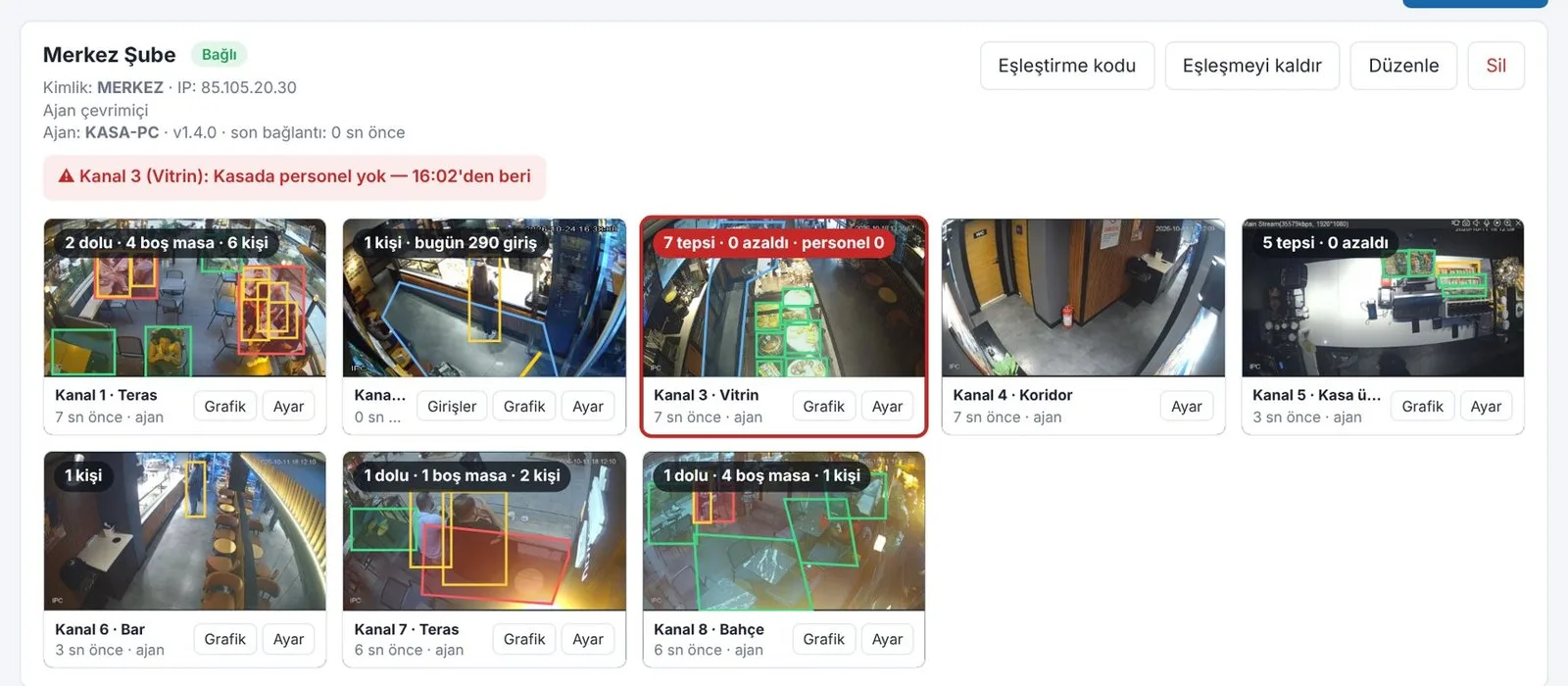
How many came in — and how many bought?
The till only counts buyers; it does not see who walked in and out, the table that stayed occupied, the display case that emptied. Kamera Analiz measures these and compares them with receipt counts in Adisyon.
- 01Install the agent
On a computer in the branch; it connects to the recorder (NVR) over the local network.
- 02Draw the areas
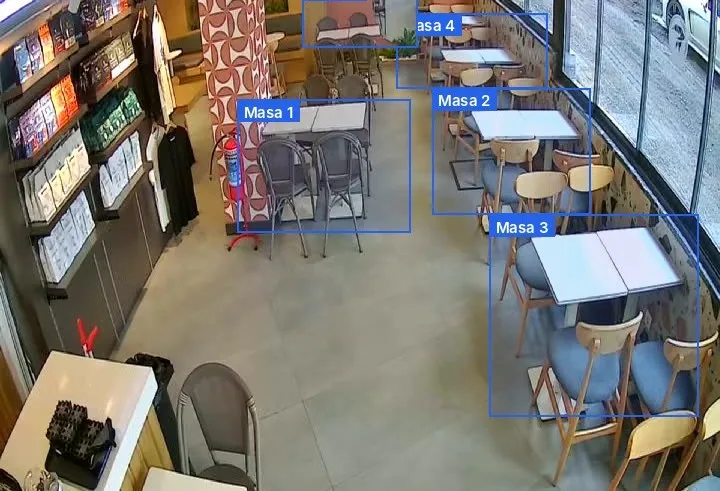
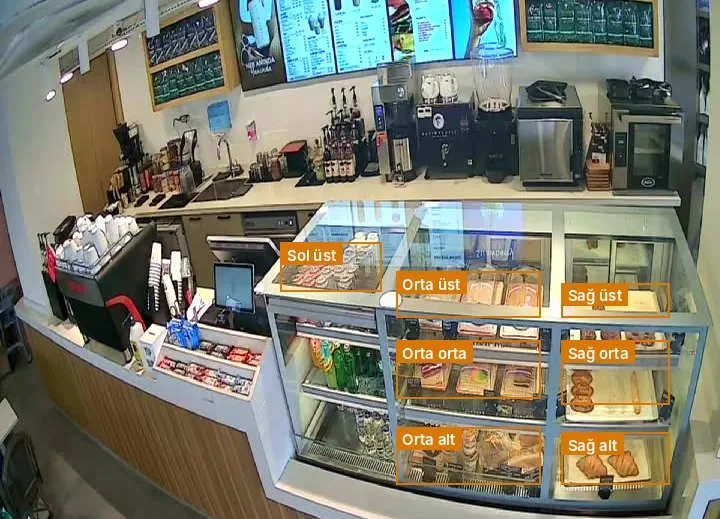
The door line, tables, display-case sections and the till area are marked on the camera image.
- 03Results in the panel
Counts, occupancy and alerts in the panel and on your phone.
What it measures
- Door countingPeople in and out, hour by hour; every entry logged with a photo, miscounts can be marked and corrected.
- OccupancyHow many people are in the room, at the bar, at the till; peak hours.
- Table trackingOccupancy and sitting time per table.
- Display caseAn alert when a section empties.
- Queue and staffingA notification when the queue grows or no one is at the till.
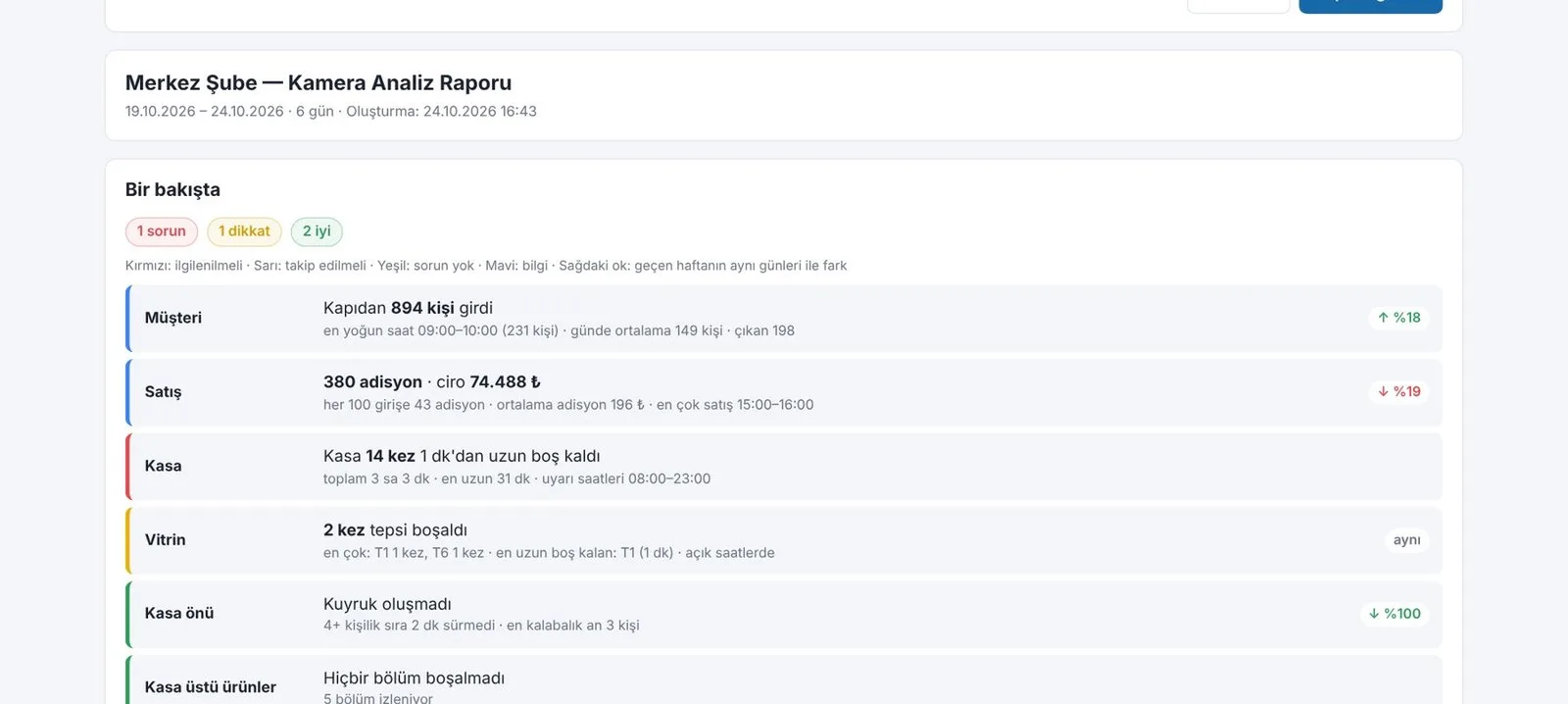
- Weekly reportCustomers, sales, till, display case and queue summary; compared with last week.
Together with other products
Kamera Analiz is complete on its own. If you also use other ARTİEKRAN products, the connection between them is set up automatically.
- AdisyonPeople entering are compared with receipt counts; hours that are busy but not selling become visible. The camera system changes nothing in Adisyon — it only reads.
- Dijital EkranScreens and cameras are watched from the same panel.
What do you need?
Before installation we review your venue and tell you in advance if anything is missing.
- Cameras and a recorderYour existing IP cameras and NVR. We check brand and model compatibility before installation.
- A computer in the branchA Windows computer on the same network as the recorder, always on; the till computer also works.
- InternetThe branch's existing connection, for results to reach the panel.
Monthly pricing by number of analyzed cameras. We send a quote tailored to your business the same day.
Frequently asked questions
Do I need to buy new cameras?
No. The agent connects to your existing IP cameras and recorder. We check brand and model compatibility before installation.
Does it do face recognition?
Counting and occupancy use no face recognition; it measures how many people came in, not who.
How accurate is the counting?
Accuracy depends on the camera angle and lighting. Every entry is logged with a photo; miscounts are marked and corrected, and the door area is tuned per camera.
Do my camera images leave the premises?
The photos needed for analysis are processed on the ARTİEKRAN server; images are visible only in your own panel.
Can I use it without Adisyon?
Yes. Counting, occupancy, display case and queue work on their own. With Adisyon, entries are also compared with receipts.
How much does it cost?
Monthly pricing by number of analyzed cameras. We send a quote tailored to your business the same day.
Other products
One system,
one partner.
Call us or leave the form for a demo and a quote tailored to your business; we get back to you the same day.