Puanla · Digital loyalty card
A loyalty card without installing an app.
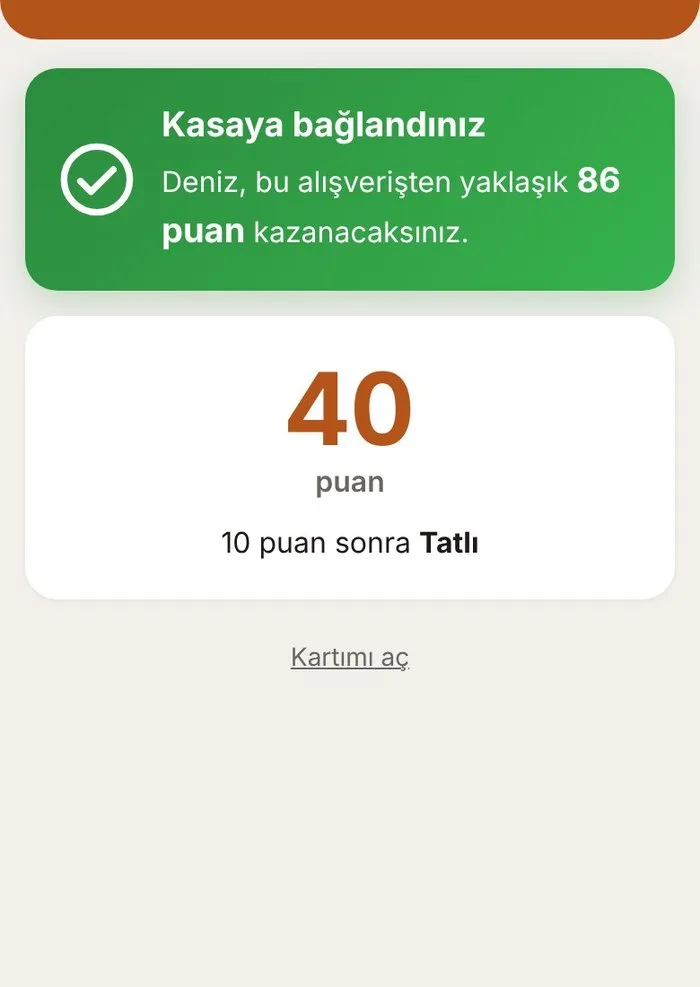
The guest scans the QR at the till with their phone camera and their card opens. Each visit earns a stamp, or points based on spend; when a reward is ready, it is redeemed at the till.
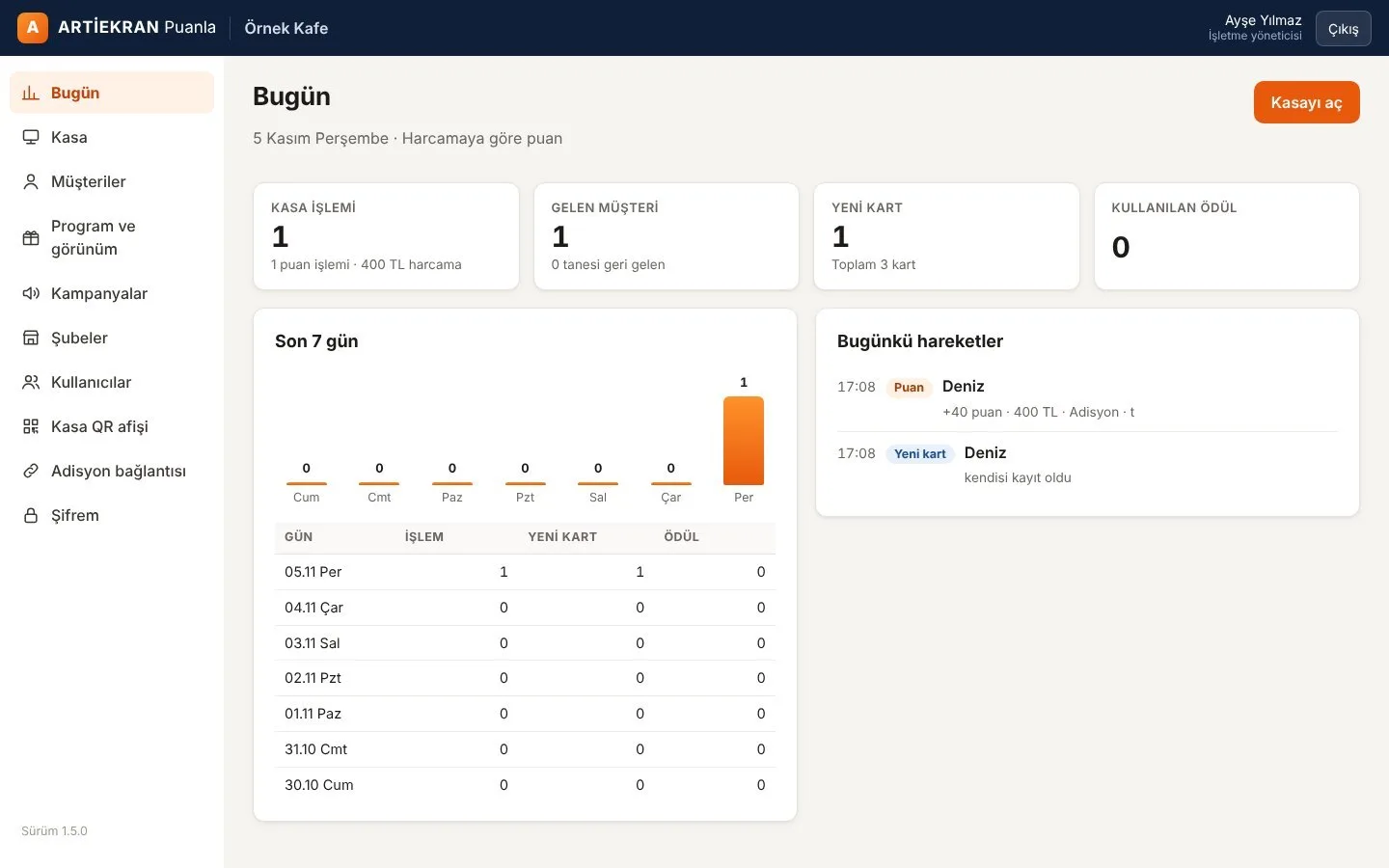
Paper cards get lost; nobody installs the app.
A stamp card gets lost in a wallet, is easy to fake and tells you nothing about the customer. Asking guests to install an app loses most of them. Puanla works with the phone camera, installs nothing — and you see who comes back.
- 01The card opens
The guest scans the QR at the till and enters their number; the card opens on their phone.
- 02Stamps or points are added
The cashier scans the card or finds it by number; with Adisyon it happens automatically at payment.
- 03The reward is redeemed
When ready it shows on the card and is redeemed at the till in one tap.
At a glance
- No appA QR scanned with the phone camera; the card opens in the browser and can be added to the home screen.
- Stamps or pointsPer visit or by spend; tiered rewards.
- Your brandYour logo, colors and text on the card.
- Cashier screenFind cards by camera, barcode scanner or number.
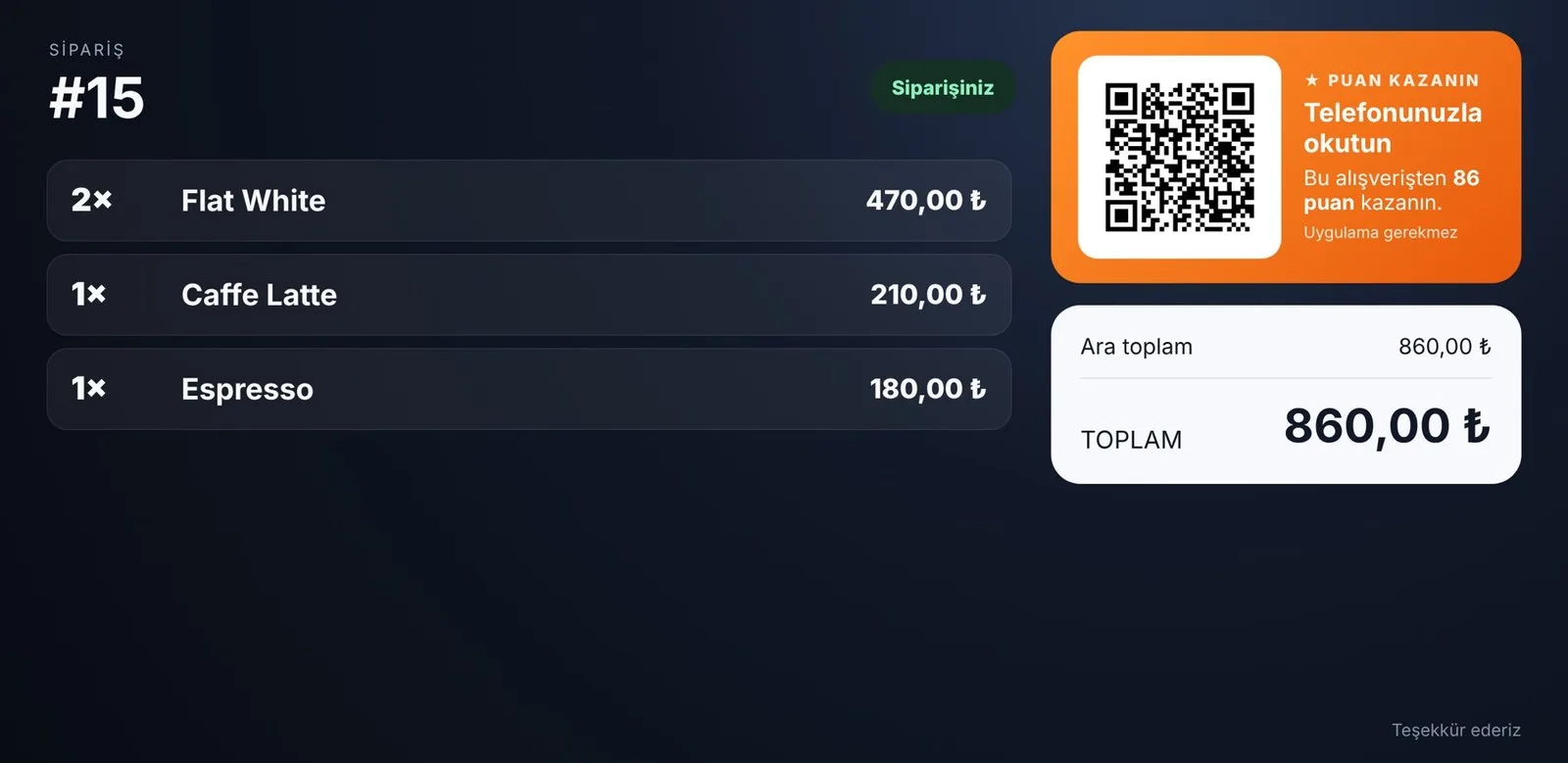
- Adisyon integrationThe QR appears on the customer display; points are added when the bill closes.
- Customer listNew, regular and loyal guests; visit and spend history.
- CorrectionsWrongly given stamps or points corrected with a note.
- Phone changesThe card moves to a new phone with a code from the till.
- Multi-branchThe card works in every branch; activity shown per branch.
- Till QR posterA printable poster for businesses not using Adisyon.
- Marketing consentSeparate opt-in for campaign messages.
Together with other products
Puanla is complete on its own. If you also use other ARTİEKRAN products, the connection between them is set up automatically.
- AdisyonAt payment, the QR appears on the customer display; points are added from the bill amount automatically.
- Dijital EkranAnnounce your rewards and campaigns on your menu screens.
What do you need?
Before installation we review your venue and tell you in advance if anything is missing.
- A QR codeOn the customer display with Adisyon; otherwise a printed QR poster at the till.
- A tillA computer or tablet with a camera; a barcode scanner also works.
- The panelThe Puanla panel opens in a browser; nothing to install.
Monthly pricing by number of branches. We send a quote tailored to your business the same day.
Frequently asked questions
Do guests have to install an app?
No. Scanning the QR with the phone camera is enough; the card opens in the browser and can be added to the home screen.
Should I choose stamps or points?
If your products are similarly priced (like coffee), stamps per visit are the clearest. If basket sizes vary a lot, points by spend are fairer. Changing the format later does not erase what guests have earned.
Can I use it without Adisyon?
Yes. Guests open their card from the QR poster at the till; the cashier gives stamps or points from the Puanla till screen.
What happens when a guest changes phones?
The card is not lost. They ask for a code at the till and move their card to the new phone with it.
Can I correct wrongly given points?
Yes. A correction is entered on the customer's page; every correction is logged with a note.
I have several branches — does the card work in all of them?
Yes. The card works everywhere; each branch's activity is shown separately.
How much does it cost?
Monthly pricing by number of branches. We send a quote tailored to your business the same day.
Other products
One system,
one partner.
Call us or leave the form for a demo and a quote tailored to your business; we get back to you the same day.